UAV project
Drone that acts autonomously
Goal:
Build a drone that can do autonomous recon, as well as payload release.
Main Components:
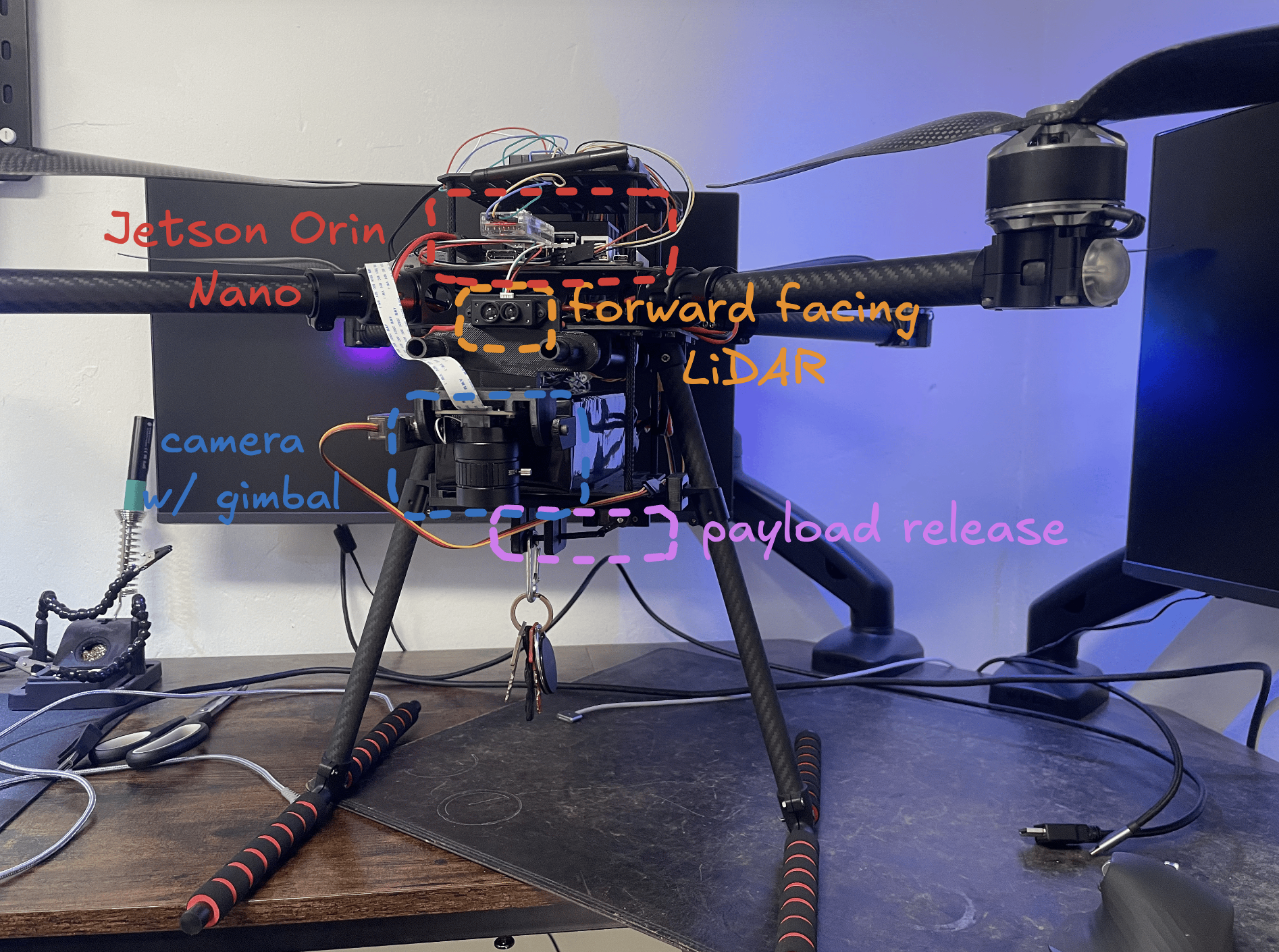
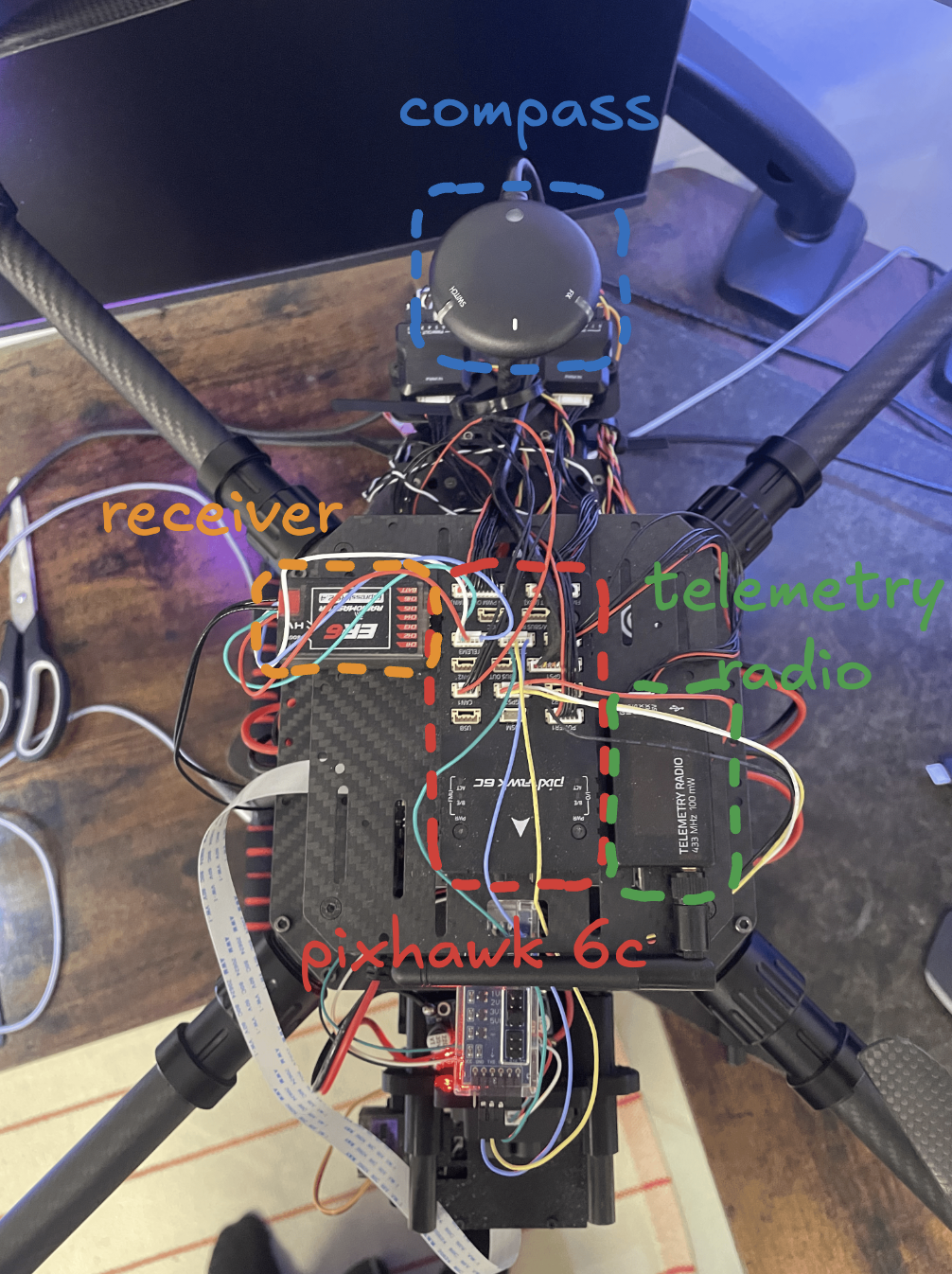
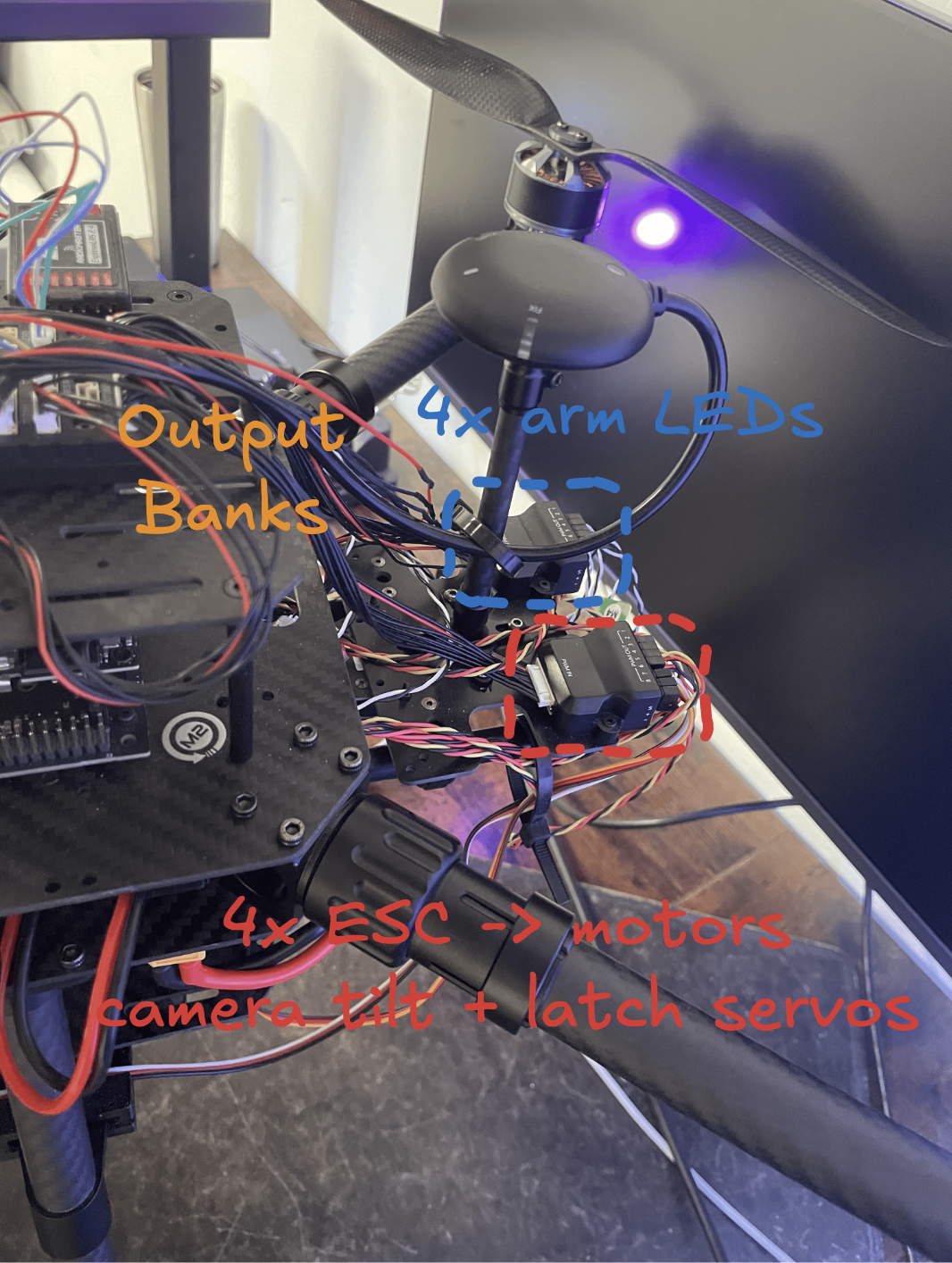
Aiframe:
- Holybro X650 V2 frame
- 4× T-Motor MN4014 330 KV motors
- 4× Tekko32 F4 45 A ESCs
- 4× Gemfan 1555 carbon props (15 inch)
- Pilotix 6S 12000 mAh 60C LiPo
Flight Controller:
- Pixhawk 6C
- M10 GPS
- Holybro H-Flow (DroneCAN)
- Benewake TFmini-S lidar
- PM02 V3 power module
Radio Links:
- RadioMaster Boxer (ExpressLRS)
- RadioMaster ER6 receiver
- SiK Telemetry Radio V3
Perception/Brain:
- NVIDIA Jetson Orin Nano
- ArduCam B0274
- DSD TECH FTDI USB-UART (Jetson → Pixhawk TELEM2)
- LAOMAO 12 A buck
- 2× servos on a PWM expansion board
Steps
I will attempt to write out the steps and problems, as concisely as possible.
Assembly
Assembly for the X650 was very straightforward, followed the assembly guide under in this link: Holybro Docs
Calibration of software
All calibration and fine tuning was done on QGroundControl. I read in some docs that Mission Planner was the recommended GCS. But as I use Mac, i used QGroundControl, which was surprisingly easy to navigate around. Far more straightforward than my previous experience with the betaflight web-app.
Major events that happened there was:
- Frimware flashing (ArduPilot Copter 4.7.0)
- Accelerometer / level calibration
- Compass calibration
- Set up the telemetry link
- Verified that sensors are live
- motor order/direction check
Later on in the process:
- Servo endpoint calibration (finding PWM values, so I know when the camera is looking straight down, when it's leveled, etc. as well as knowing the values for when the latch is fully open or fully closed)
First test flight
First test flight was done, when I was "sure" everything was calibrated correctly. As well as the telemtry logs.
Here is my first test flight:
first-flight
As you can see, I was "sure." I set a prop in the wrong axis...
Fixed it quickly and here is the second flight:
second-flight
Once I knew the motors were responding correctly, and I could safely arm/disarm, I then wanted to test out the capabilities of the Return To Launch mode.
Ardupilot offers some modes out of the box, which includes this RTL. Meaning, you can trigger this mode, and it should return to the registered coordinates from when it was armed.
And this worked surprisingly well on the first go. I set it to fly 15 meters up, then land.
Here is a video of the drone performing RTL (this is before the Jetson "brain" is incorporated, so this is only using ardupilot software which I am not responsible for):
rtl
I just triggered it to RTL mode at the start of the video, where you see it ascend to 15 meters, then back to to its launch coordinates before landing.
Implementing "brain"
Now I want this drone to actually fly autonomously given visual input.
This means I need the drone to be able to:
- Receive visual input
- Process visual input
- Act on the input
I therefore 3d printed a camera frame, as well as the frame for the payload release. There was no real reason or thought behind the payload release. Just thought it would be fun to add :)
Here you can see both in action:
gimbal-and-payload-release
With the camera in place, I then need a computer to process the input. I very conviniently had a spare Jetson Orin Nano from a previous project (the awful robot vacum), which worked perfectly. As this frame also dedicated screw-holes for the jetson base-frame.
There is an issue that the battery does output ~25 volts, and the Jetson can accept 9V to 20V, so I had to solder the buck converter betwen both components, which looks as follows:
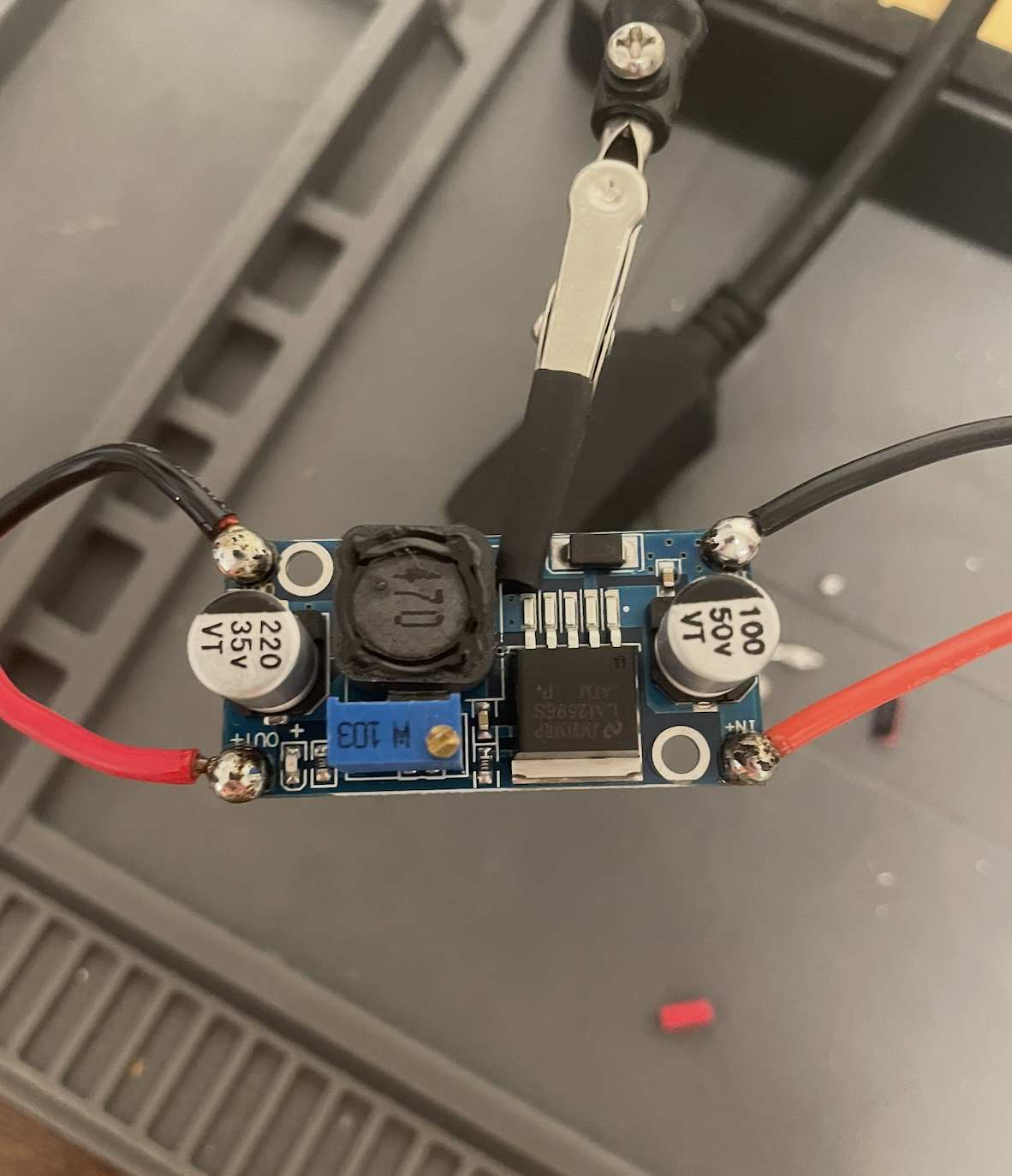
I calibrated it to 15V for reference.
The actual communication between the Jetson and the camera was surprisingly troublesome. It was finally resolved by me waking at 5:30 in the morning, to give remote access to a team based in Hong-kong, where I could then communicate with them via the terminal. Fun experience. And they were very efficient.
The thread with the details can be found in this Nvidia thread. Beware that i used an LLM to refine what i wrote, to not waste more time communication back and forth, that's why I sound like a robot in this thread: Forum Thread
Also wrote a smaller report on it here:
Read next: IMX477 Sensor <-> Jetson Orin Nano
Now i wanted to define a short term autonomous goal. Which is that the drone should be able to:
- Detect an object
- Fly over to the object
- Drop the Payload
- Return to original coordinate
- Land
I live in copenhagen, where drone flying is very (very) restricted. The football field that I have a video of above, requireed my crawling over a fence. Which just isnt optimal when you need to quickly test something.
So i restricted myself to my backyard, where creating a geofence isn't accurately doable, given the constraints of my gps accuracy. So I couldn't simply create a geofence and make my drone do lane searching through it (out of respect for my neighbors i wanted to have some very stritct physical boundaries).
So I decided on making the drone spin, with the camera hardcoded to a 45 degree angle. Look after a bucket, and perform the goal mentioned above. This way I didn't have to worry about GPS accuracy and it suddenly moving over the neighbors fence, as it would only move towards the bucket if it was in view (where i also hardcoded a virtual 3x3 fence around the launchpoint, if a bucket detected outide the box then it wouldn't fly after it).
Here is a video of it successfully doing so (not really, sort of):
key-release
As you can see, the algorithm needs some refining :(
But it essentially performed as expected, the algo is pretty simple, when I switch the flight mode to GUIDED it performs the following steps:
- Fly to 1.2 meters altitude (which you can see it does at timestamp 00:15)
- Spin ~ 0.35 rad/s
- Run YOLOE-11s, at every frame (15fps, meaning one every ~66ms and inference takes ~7ms)
- Find the bucket's centre pixel in the detection box
- Turn that pixel into an angle (I will show an example of this further below)
- Our H-Flow knows how high the drone is, Height and angle give the horizontal distance to the bucket:
- Rotate into compass direction, using the dron'es heading.
- Fly there, stabilize, drop payload, return to coordinate where it was switched to flight mode GUIDED then land.
It went wrong due to 2 reasons (I think):
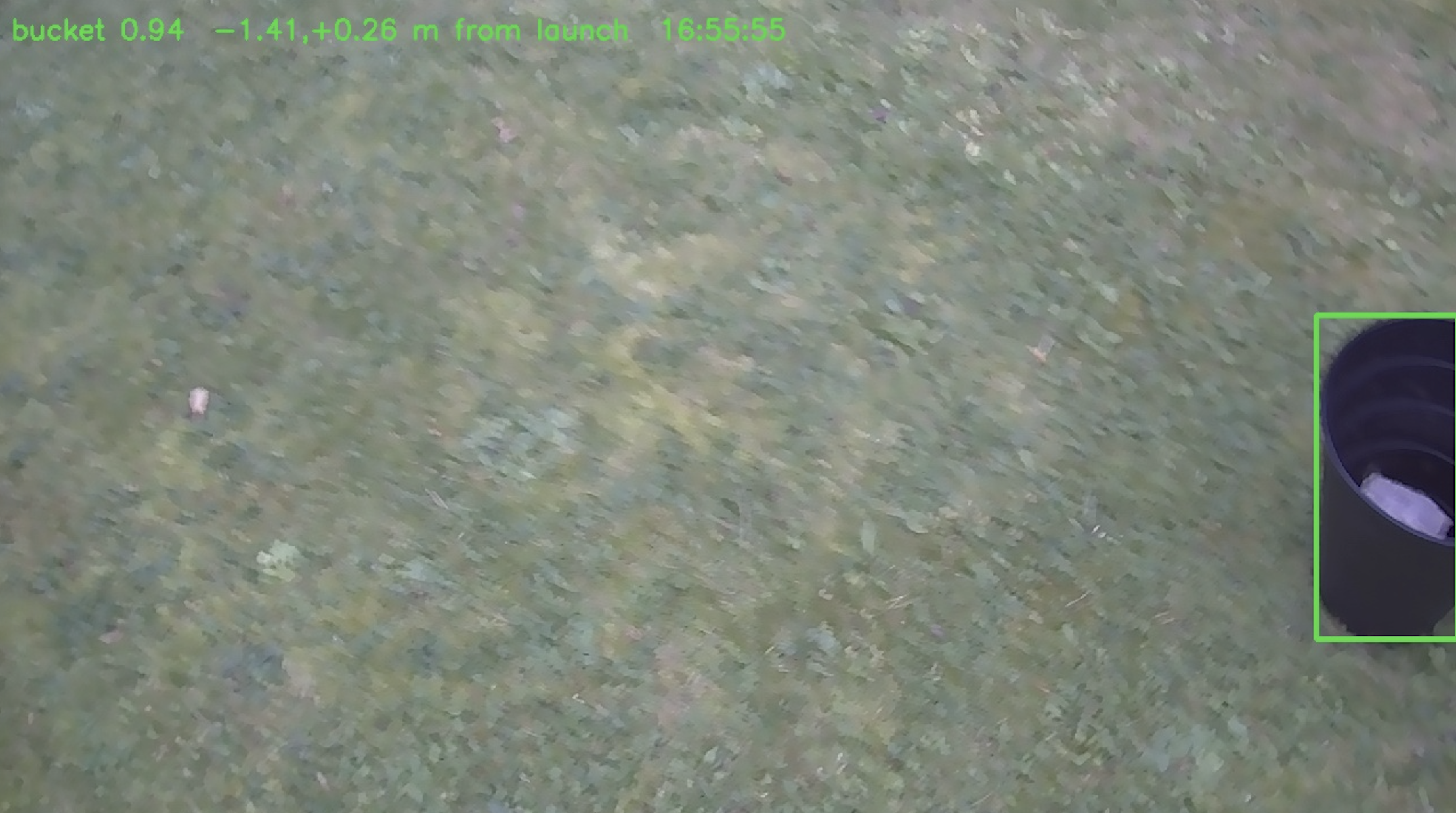
- The drone detects the bucket immediately after seeing it (which is what I was trying to achieve). But what I didn't take into considering, is that now the center pixel of this detection box will be skewed to the left. Where in the footage we can also see the drone dropping it to the left of the bucket.
- Arrival tolerance was set to 0.25 meter radius. Which is very silly, as that is wider than the opening of the bucket itself.
But luckily these are 2 easy fixes. Below you can see an image from the flight logs, where the bucket is clipped, on the right side of the frame.
I will work on further improvements, and try out some more challenging tasks, and update this blog runningly. I will open source the codebase once I have gotten to cleaning it up a bit.